Your stock, your sales and your staff attendance, in one simple tool.
Every item's stock today, every in and out entry with the name of who made it, low-stock warnings before you run out, and staff attendance that turns into salary at month end. Built for godowns and shops, not for accountants.
StockOS is for you if…
Sound familiar?
You find out the stock is finished too late
By then the order is already lost. Set a minimum level per product and see a warning on the dashboard the moment it drops below.
The register and the godown do not match, and nobody knows who took what
Every in and out entry carries the product, quantity, rate, party, date and the name of the staff who entered it.
Attendance and salary turn into a month-end argument
Attendance is marked daily in the system, and salary is calculated from it automatically. No register, no calculator.
Top features of StockOS
The parts that matter most. There is more, and we show it on the demo.
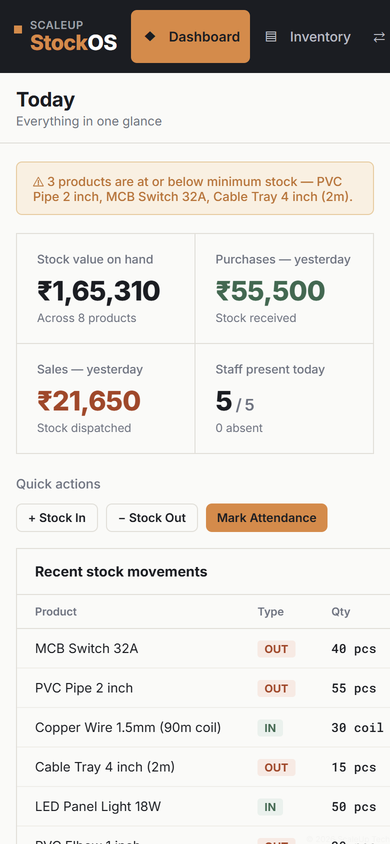
Today's dashboard
Stock value, yesterday's purchase and sale, staff present and low-stock items, the moment you open it.
Low-stock warning
An item drops below its minimum, it turns red. You order on time and never miss a sale.
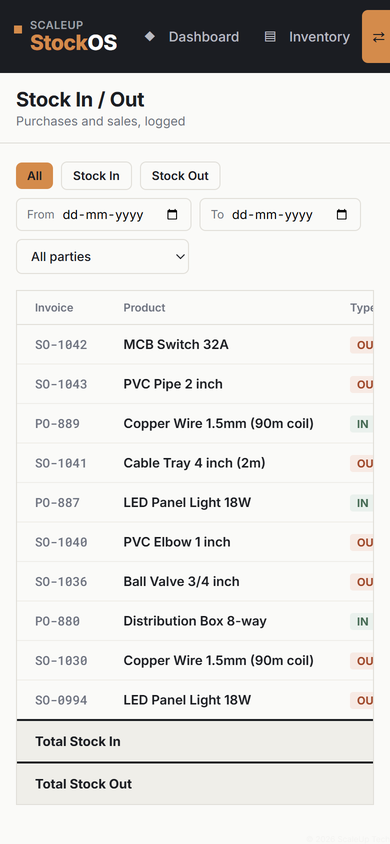
Stock in / stock out entries
Purchase and sale entries that move stock automatically. Pick the supplier or dealer from a list. We load your first list for you.
Who made the entry
Every entry shows the staff member's name. Accountability without arguments.
Filter by date, party or category
Any day, week, party or category in seconds, with totals at the bottom.
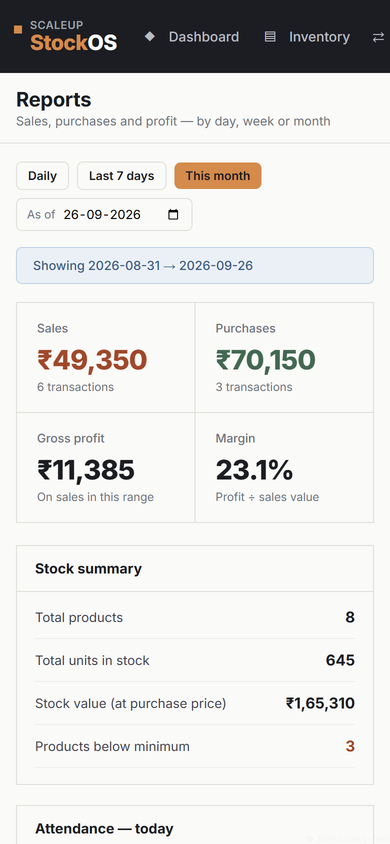
Sale, purchase and profit reports
Daily, weekly or monthly: what sold, what was bought, what you earned and the margin.
Supplier and dealer records
Who supplied what, who bought what, and the running total with each party.
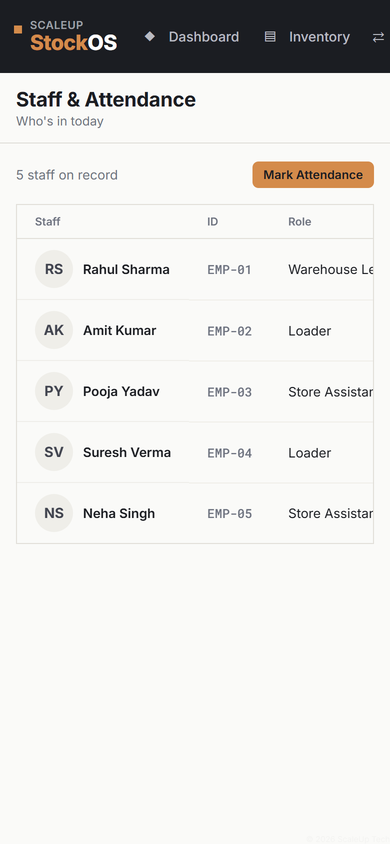
Staff attendance and automatic salary
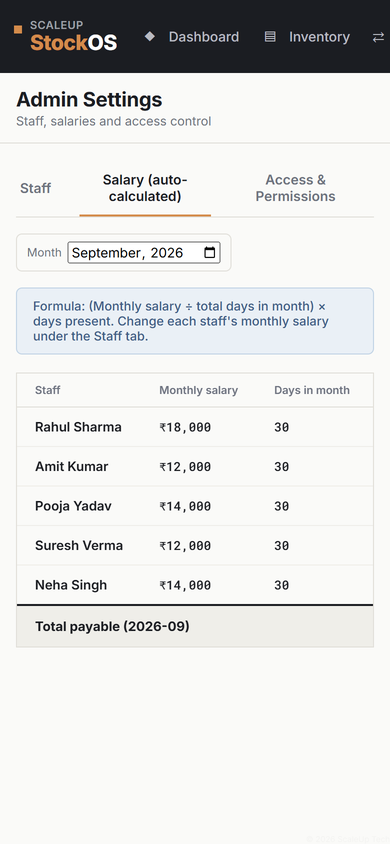
Each staff member marks only their own attendance. Month-end salary is calculated from days present.
💡 This is the short list. The full product has more, and it is easier to show than to describe.
StockOS on your phone
A few screens from the live product. Swipe to see more. The full walkthrough is on the demo.
Three steps to go live
You message us
Tell us about your business on WhatsApp or through the form below. Takes a minute.
We show it live
A short demo on your own phone, with your kind of products or clients, within a day or two.
We set it up for you
You share your lists and logo. We build, you check, your team is trained, and you go live in 3 days.
Common questions
Does StockOS need internet?
We set it up two ways depending on your place: one works from anywhere, including your phone, and one runs only on your factory or office network with the data staying in your office. We suggest the right one after the demo.
What will my staff see? Can they see profit?
No. You decide what each person can do. Regular staff can make stock entries and mark their own attendance. Profit, salaries and other staff's data are visible only to you.
How is salary calculated?
You enter each person's monthly salary once. At month end it is calculated for the days they were present, and you see everyone's total on one screen.
How does my existing product list get in?
Share your item list and today's stock in Excel or even as a photo of your register. We enter it for you the first time, and then train your staff so they run it from day one.
Is StockOS connected to TradeOS?
They run separately and can be bought separately. StockOS is your inside work: real stock counts and attendance. TradeOS is your outside work: dealers, rates and credit. Many businesses use both.
See it on your phone before you decide.
Leave your number and we will send a demo slot on WhatsApp. Or message us directly on +91 99109 46049.
- ⚡DemoFree, on your phone, within a day or two
- 🔒Your dataA private setup for your business, never shared
Thank you! We have your enquiry.
A WhatsApp chat has opened with your details. If it did not, tap here. We reply within working hours.
Pairs well with
TradeOS
Your dealers' own ordering app: their own rates, every order in one place, every rupee of credit tracked.
Smart Price Hub
One live price list. Every dealer sees only their own price. Update everything in seconds.
Digital FlipCatalogue Pro
Your product catalogue as a page-turning flipbook that opens on every phone and takes enquiries on WhatsApp.
Ready to try StockOS?
A 15-minute WhatsApp demo is all it takes. See it live on your phone, before you pay anything.